The volume adjuster tool is one of the most essential online audio tools for anyone working with music, podcasts, voice recordings, or video soundtracks. With a free online volume adjuster, you can easily increase or decrease the sound level of any audio file…
The volume adjuster tool is one of the most essential online audio tools for anyone working with music, podcasts, voice recordings, or video soundtracks. With a free online volume adjuster, you can easily increase or decrease the sound level of any audio file without downloading heavy software. Whether your audio is too loud or too quiet, this volume adjuster tool helps you balance the sound perfectly.
A volume adjuster is particularly useful when you are preparing audio for professional use, presentations, or streaming platforms. Many recordings often suffer from low audio levels or excessive loudness, making them difficult to listen to. By using a free online volume adjuster, you can normalize the sound, improve clarity, and create a better listening experience.
Our volume adjuster tool works directly in your browser. Simply upload your file, select the volume level you want, and apply the adjustment instantly. There is no need for technical expertise—this audio volume adjuster is designed for beginners and professionals alike.
Why Use a Volume Adjuster Tool?
- Normalize audio levels – Fix recordings that are too quiet or too loud.
- Improve clarity – Make podcasts, music, and voice recordings easier to hear.
- Prepare audio for publishing – Platforms like YouTube, Spotify, or TikTok require balanced audio.
- Save time – A volume adjuster online tool is faster than traditional editing software.
- Free and accessible – No downloads, no installations.
How to Use the Audio Volume Booster
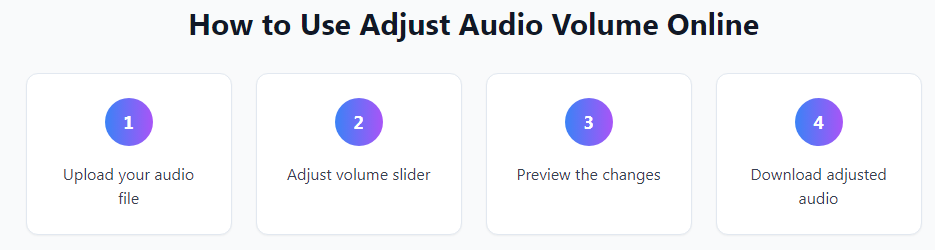
- Upload your MP3, WAV, or other audio file.
- Choose whether to increase or decrease volume.
- Adjust the volume slider to your preferred level.
- Preview your audio before saving.
- Download the optimized sound file instantly.
With just a few clicks, you’ll have a clean, clear, and perfectly balanced audio track.
Best Features of Our Online Volume Adjuster
- Works with multiple file formats (MP3, WAV, AAC, etc.)
- Simple drag-and-drop interface
- Adjust volume up or down in seconds
- 100% browser-based, no installation needed
- Free to use forever
Perfect for Creators and Professionals
Whether you’re a content creator, musician, or podcaster, the Audio Volume Booster helps you produce balanced and high-quality sound. Make your audio stand out on any platform — from YouTube to Spotify.
Final Thought
With the Audio Volume Booster, you can easily control your sound levels and enhance your audio experience. Boost or reduce volume in seconds — fast, simple, and free.
Explore More Tools
Boost your productivity with our free online tools designed for creators, marketers, and developers. Try these popular options:
- PDF Merger – Combine multiple PDF files into one.
- Image Converter – Convert PNG, JPG, WebP, and GIF formats.
- Meta Tag Generator – Create SEO-optimized meta tags easily.
- Trim Audio – Cut and edit audio files online for free.
- Developer Tools – JSON Formatter – Format and validate JSON code.
- File Size Reducer – Compress files without losing quality.
Explore all these tools and more at TaskHug Tools — your all-in-one online toolkit for smart, fast, and free digital solutions.